
Canva is a popular graphic design tool that’s easy to use and has lots of features. But did you know Canve can also help you earn money?
With Canva, you can create things like printables, templates, and other digital products that people will pay for. Once you create these things, you can sell them many times without recreating them again.
So if you’re interested in making some money on the side doing something you enjoy, keep reading. I’ll show you all sorts of cool ways to make money with Canva.
How To Make Money With Canva?

Canva is an easy-to-use design tool that almost anyone can learn quickly. With some creativity and effort, you can make money by using Canva to create designs like social media posts, invitations, and templates. Let’s see what you can create with Canva and sell them to make money.
1. Canva Templates
Want to make money with Canva? Sell your templates. However, not everyone possesses the time or skills to design from scratch, and that’s where selling Canva templates can prove to be a profitable endeavor.
These pre-designed templates save users valuable time when creating visual content for various purposes, including Pinterest graphics, social media posts, presentations, infographics, and more.
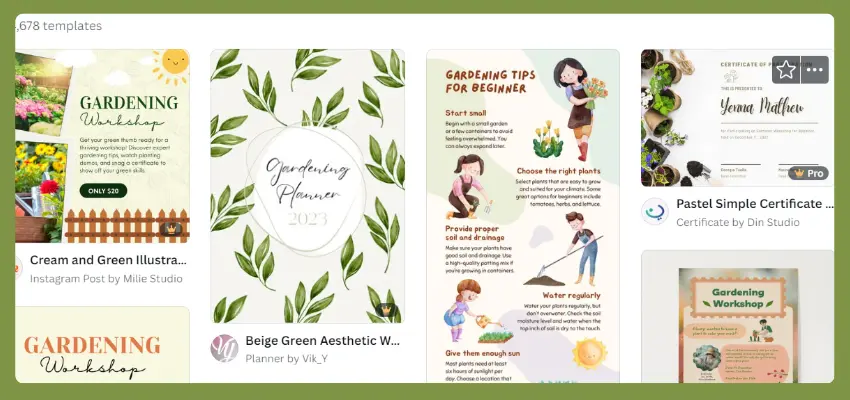
The beauty of selling Canva templates lies in their versatility and global demand. Bloggers, video creators, business owners, marketers, and anyone who needs to create visuals can benefit from your ready-to-use templates.
By offering a diverse range of templates, you can cater to a wide audience, increasing your potential customer base and revenue streams.
To maximize the impact of your Canva template sales, it’s essential to create designs that stand out from the competition.
Utilize platforms like Canva Marketplace, Shopify, Etsy, Fiverr, or Upwork to sell your Canva templates.
2. Create Printables
Earn extra money by creating and selling printables on Canva. Printables are digital designs that people can download and print themselves, such as art prints, planners, invitations, and more.
If you have an eye for design and enjoy creative projects, making printables is a great way to monetize your skills.
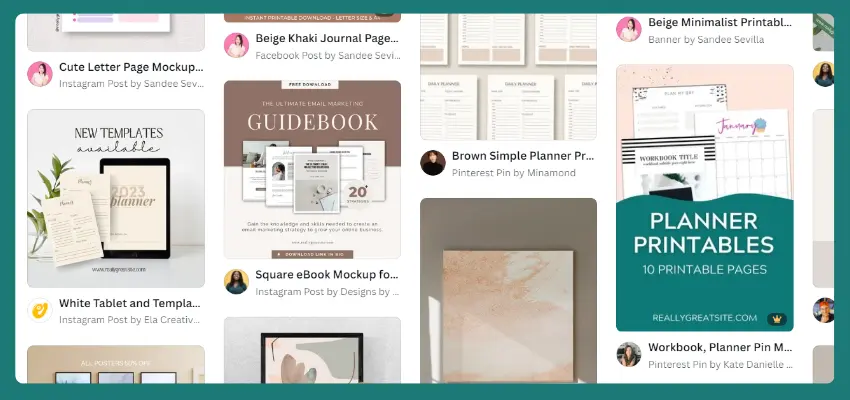
Canva’s user-friendly tools make it easy to design professional-looking printables that can be sold online through marketplaces and your own website or social media pages.
Canva offers a wide range of templates, fonts, and professional design elements that make it easy to create beautiful printables in no time. The most popular types of printables that can be sold online include weekly or daily planning sheets, meal plans, custom calendars, chore charts, checklists, journals, and more.
Another advantage of selling printables is that they can be tailored to suit various niches and audiences. Whether you’re into health and wellness, organization, or education, there’s a market for printables that cater to those interests. You can even create custom printables based on customer requests, making each sale truly unique.
3. Low Content Books
Making money by creating low-content books on Canva is a great way to earn passive income.
The first step is to identify profitable niches or topics that are in demand. You can use tools like Google Trends, Keyword Planner, or Amazon Best Sellers to find trending topics that people are interested in.
Once you have a niche in mind, you can start designing the book cover and interior pages using Canvas templates and customization features. Make sure your designs are visually appealing and meet Amazon’s requirements for print-ready files.
Since low content books don’t require a lot of written content, you’ll want to focus on creating concise introductions, prompts, or exercises that guide readers through the journaling or activity process. Keep the content engaging and valuable without being too time-consuming to write.
After your book is designed, set up an account on Amazon Kindle Direct Publishing (KDP). It’s free to sign up, and you can create a new book listing by choosing “Create Paperback” and entering details like the book title, subtitle, category, and target audience.
Next, upload your high-quality PDF files for the book cover and interior pages. Optimize your book for search by researching relevant keywords and incorporating them strategically throughout the book description, subtitle, and categories. This will improve visibility during customer searches.
4. Create Infographics
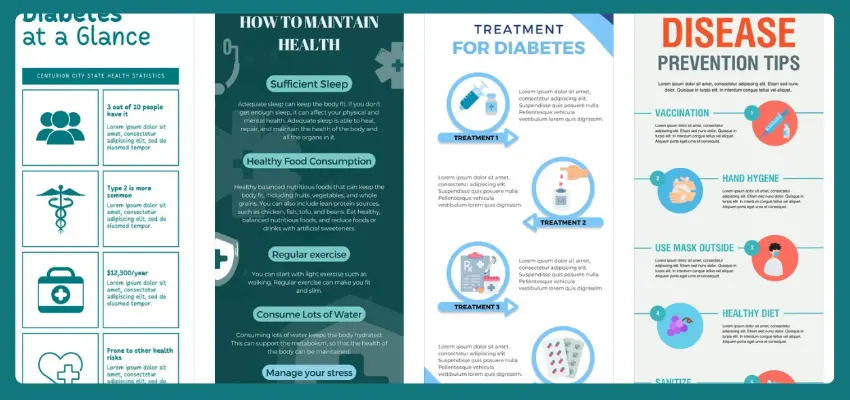
Infographics have become an essential tool for businesses and websites looking to present complex information in a clear and concise manner.
Create a variety of infographic templates using Canva, tailoring them to different niches such as health, finance, technology, or education.
Once you have a collection of templates, sell them as a digital product on platforms like Etsy, Gumroad, or your own website.
Maximize your earnings by repurposing your infographics into other formats, such as blog posts, videos, or social media graphics.
Editor's Pick
Before you continue..... here are tools that can help you earn extra money online...
>Earn extra income during your free time With surveys >> Join Surveoo
Save Money with Coupons & Cashback >> Try Coupert
Stay updated on the latest trends and best practices in infographic design, continuously improving your skills to deliver high-quality visual content.
5. Design Creative T-shirts
With Canva, you can easily design unique and eye-catching t-shirts using their extensive library of templates, graphics, and editing tools.
Once you’ve finalized your design, you can download it and upload it to a print-on-demand platform. These platforms allow you to set up your own online t-shirt store and handle everything from production to shipping. So you can focus on promoting your designs and growing your business.
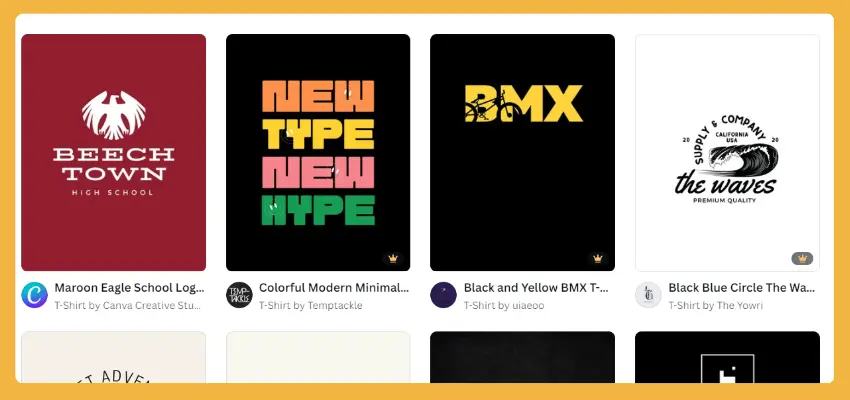
To succeed in selling custom t-shirts through Canva, it’s important to keep a few things in mind.
- Make sure your designs are high-quality and visually appealing.
- Use bold colors, interesting fonts, and relevant imagery to make your tees stand out.
- Price your tees competitively, taking into account the cost of production and shipping.
- Promote your designs on social media and other channels to reach a wider audience and drive traffic to your online store.
6. Create Logos
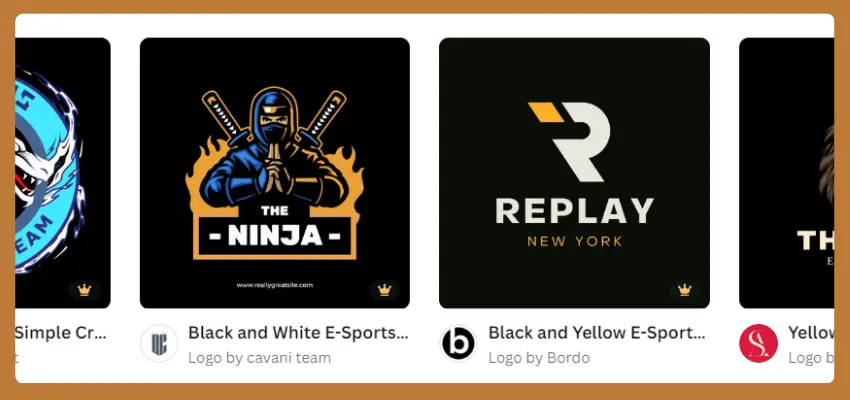
Are you good at designing logos? Canva can help you turn your skills into cash.
With Canva’s user-friendly interface and extensive customization options, you can bring your vision to life and create stunning logos that capture the essence of a brand.
You can explore various logo templates, experiment with different fonts, colors, and shapes, and even add animations to give your designs an extra wow factor.
7. Print-on-Demand Products
With Canva, you can create unique and customizable designs for various products such as coffee mugs, tote bags, and water bottles, all while leveraging the power of print-on-demand technology.
You can easily customize existing designs or create your own from scratch, adding text, images, and other elements to create unique and eye-catching products.
Once you’ve finalized your design, you can upload it onto a variety of print-on-demand, including clothing, accessories, home decor, and more.
Making money with Canva’s print-on-demand products requires effective marketing strategies. Consider promoting your designs through social media platforms like Instagram, Facebook, or Pinterest, where visual content tends to perform well.
8. Design Invitations for Celebrations and Special Occasions
Earn money by designing beautiful invitations for special occasions using Canva. If you have a creative eye for design and enjoy celebrating events, this could be the perfect opportunity.
Canva allows you to turn your talents into a way to make additional income by creating gorgeous invitations that people will love.

With Canva, you can create customizable digital and print invites for events like birthdays, baby showers, weddings, and graduations.
Offer pre-made bundles or custom orders on platforms like Etsy or your own website. Repeat customers will provide steady income, and Canva’s user-friendly interface makes it easy to learn and master.
Whether you’re a stay-at-home mom looking for a side hustle or a student seeking to supplement your income, this opportunity is perfect for anyone with a passion for design and a desire to help others celebrate life’s special moments.
9. Social Media Images
With Canva, you can create stunning visuals that are optimized for various platforms like Instagram, Facebook, Twitter, and LinkedIn.
Utilize pre-made templates that are specifically designed for each platform, making sure your designs are always posted in high quality. Plus, you can easily customize them to match your client’s unique branding style, including their preferred fonts and colors.
With Canva, you can quickly and easily create custom social media images that reflect your client brand’s personality and messaging. From colors and fonts to images and icons, you can create your images to match your client brand’s unique style guide.
10. Create Presentations

Canva offers a wide range of presentation templates that can be used to create engaging and professional-looking slides. Not only can you use these templates for your own workshops and videos, but you can also utilize them to create educational video courses.
Simply select a template that resonates with your topic and customize it according to your needs. Add images, graphics, and text to create visually appealing slides that convey your message effectively in the presentation. You can sell the presentations to your client.
11. Create YouTube Thumbnail
YouTubers need attractive thumbnails for their videos. It takes time to make an eye-catching thumbnail. Instead of creating thumbnails themself, YouTubers hire people who are expert in creating thumbnails.

In Canva, there are various pre-made YouTube thumbnails. With some editing, you can change a pre-made thumbnail according to your client’s video topic.
- Choose a pre-made template from Canva’s vast collection, optimized for YouTube thumbnails.
- Customize the template by adding text overlays, graphics, and images relevant to the content of the video.
- Experiment with different font styles, colors, and sizes to ensure the title and tags are easily readable.
- Adjust the background, borders, and shadows to enhance the overall look and feel of the thumbnail.
12. Design Canva Business Cards and Stationery
You can make money creating business cards and stationery using Canva.
Create some super cool business card templates that stand out from the crowd. Think about what kinds of designs would look great for different jobs or companies.
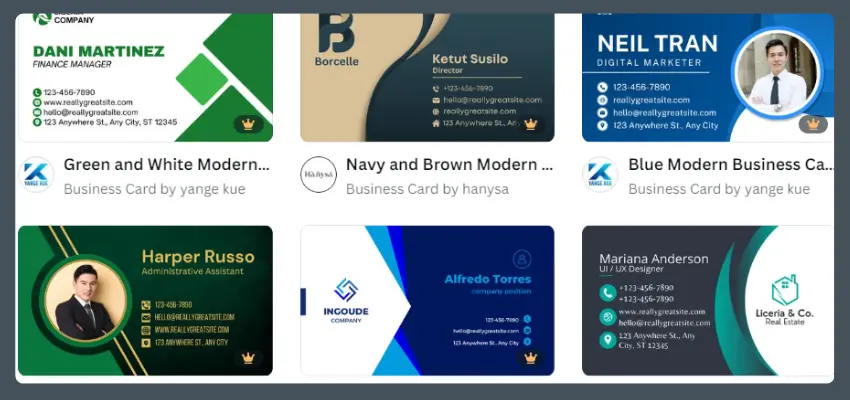
Then, offer to tweak them for each client so they fit their style perfectly. You can either print and ship the cards yourself or sell digital files online.
Show off your awesome designs on places like Etsy, design websites, or your very own site. Of course, be sure to tell people you’ll adjust the template just for them – for a small extra fee.
13. Create Canva Resumes and CV Designs

First, create some cool and professional resume templates using Canva. Make sure they look great and are easy to use. You can even create different versions for different jobs or industries.
Put your templates up for sale on websites like Etsy or Gumroad, or on your own website. This way, people who need resumes can find and buy them.
Share them on social media, design communities, and places where freelancers hang out. Show off how good they look and how they can be customized for each person.
14. Social Media Ads
By creating visually stunning and effective ads using Canva, you can help businesses reach their target audience and drive sales.
Social media advertising has become a crucial component of any successful marketing strategy.
With so much competition, it’s not enough to just post an image and some text and hope for the best. So, you can use Canva to create eye-catching designs that grab attention, communicate a message effectively, and ultimately drive conversions.
15. Marketing Videos
Canva’s user-friendly video editor allows you to create professional-quality marketing videos without breaking the bank. Perfect for small businesses looking to up their game, this tool makes it easy to craft compelling clips that will capture the attention of potential customers.
Use Canva’s video editor to whip up some impressive videos that highlight your creativity and versatility. Once you have a few pieces under your belt, start reaching out to local businesses that could benefit from your expertise.
16. Desgin E-Book Covers

Self-publishing has become increasingly popular over the years, and many writers are turning to platforms like Amazon Kindle Direct Publishing (KDP) or Apple Books for Authors to showcase their work.
However, one area where they often struggle is cover design. This is where you come in. With Canva, you can create stunning e-book covers that will help authors attract potential readers and boost their sales.
To get started, consider joining freelancing platforms like Upwork or Fiverr. These websites connect professionals like you with clients who need various services, including graphic design. You can also join niche author groups on social media, where you can network with writers who might be interested in your services.
17. Teach About Canva on YouTube
Become a Canva YouTuber to earn money. All you need is a smartphone and internet access. Create engaging, professional-looking videos about Canva that draw viewers. As your audience grows, you can generate income from your Canva YouTube channel.
Start with a tutorial on editing YouTube videos using Canva, then explore other ideas like product demos, reviews, or videos on unrelated topics. Monetize your channel through YouTube ads, affiliate commissions, sales of your own products or services, and brand partnerships.
18. Sell Canva Course
Alongside teaching about Canva on YouTube, you can create its course and sell it on other places like Udemy, Teachable, and Skillshare.
If you have an existing audience, Teachable is a good choice. Otherwise, Udemy and Skillshare are great options.
On Udemy, you’ll earn money per course sale. Top instructors earn thousands monthly. Skillshare pays monthly royalties based on watch time, and many popular Canva courses have thousands of students.
Provide valuable tips and best practices that leave students satisfied and eager to apply their new skills.
With some creativity and effort, you can turn your Canva knowledge into a profitable course that helps others achieve their design goals.
19. Join Canva Affiliate Program
By joining their affiliate program, you can earn money by promoting their amazing graphic design software.
Just sign up for a free Canva account, share your unique referral link with others, and watch the commissions roll in.
For each person who signs up for a free Canva account using your link, you’ll earn up to $5.
If you really want to maximize your earnings, spread the word far and wide by posting about Canva on social media, your blog, or your website.
The commission structure is based on the subscription plan that the user you refer to chooses. If they go for the 1-year subscription, you’ll make $36.
20. Become Canva Contributor
Want to make money with Canva? Becoming a Canva contributor is a great way to do just that. Canva relies on a vast library of templates, designs, photos, and videos to help users create stunning graphics.
By joining the Canva contributor program, you can upload your own designs and earn money each time someone uses them.
The process is straightforward. Simply sign up, upload your designs, and start earning commissions. The more popular your designs are, the more you’ll earn. Plus, being a Canva contributor allows you to showcase your skills to a large audience and potentially attract new clients.
Related Articles You Might Like To Read
- Instagram Money-Making Secrets: Unlocking the Power of IG
- YouTube Monetization Mastery: A Guide to Earning Big
- Facebook Money Maker: Maximizing Earnings
- Snapchat Profits: A Guide to Monetizing Snaps
- Pinterest Passive Income: Monetizing Your Creativity
FAQs
Can I Sell Canva Designs on Etsy?
Yes, you can sell Canva designs on Etsy. Just remember that you can only sell designs that you’ve added something special to, like a personal touch or a unique twist. You can’t just sell the same old Canva template that anyone could get for free.
Can I Use Canva Videos For YouTube Monetization?
Yes, you can use Canva videos for YouTube monetization. Just make sure you have a Canva Pro account, because that gives you the right to use their things for commercial use, like monetized YouTube videos.
Conclusion
In conclusion, there are many ways to make money with Canva, whether it’s by offering services like logo or website design, creating and selling digital products, or even becoming a Canva consultant. Whichever route you choose, the key is to use your creativity and skills to provide value to others. With some effort and dedication, you can turn your passion for design into a profitable venture.

Brett is a tech enthusiast with a deep curiosity for exploring digital tools, apps, and gadgets that simplify everyday life. This passion led him to start his blog, where he shares in-depth reviews, helpful guides, and honest recommendations about the best apps and tech solutions available today.